


Quick Anwer
Phone (Android & iOS):
Open Duolingo app → Profile → Followers/Following → Open the user’s profile → Block
Computer:
Go to Duolingo.com → Profile → Followers/Following → Open the user’s profile → Three dots → Block
Do you want to block someone on Duolingo?
Maybe there’s someone you just don’t want on your friends list anymore?
Don’t worry—you’re in the right place. 😊
In this guide, I’ll walk you through step by step how to block someone on Duolingo, whether you’re using your phone or your computer.
Let’s get started!
How to Block a Friend on Duolingo?
Blocking a friend on Duolingo is actually a very easy process. If you want to block someone, just follow the steps below for both your phone and your computer:
Using Phone (Android & iOS):
If you’re using your phone, then follow these steps to block someone on Duolingo:
Step 1: Open the Duolingo App
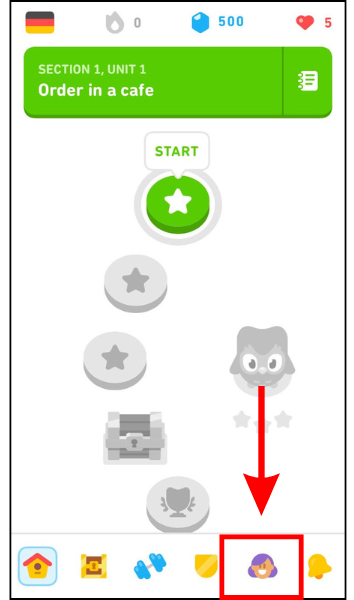
- First, open the Duolingo app on your phone (Android or iOS)
- Once it loads, tap the Profile tab at the bottom of the screen.
Step 2: Open Followers or Following
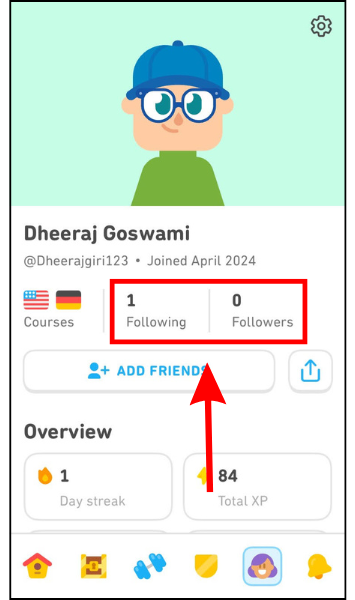
- On your profile page, you’ll see two tabs: Followers and Following.
- Choose the one where the person you want to block appears.
Step 3: Find the Person You Want to Block
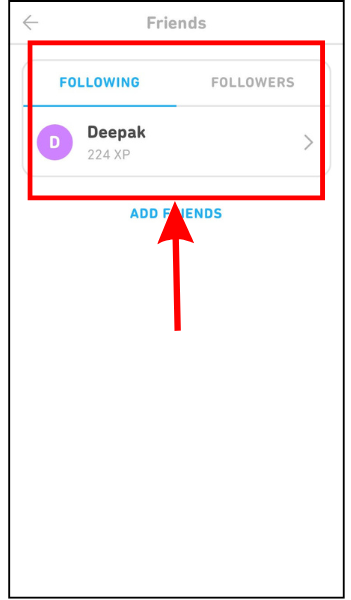
- You’ll now see a list of everyone who follows you and everyone you follow.
- Just find the person you want to block and tap their their profile.
Step 4: Block the User
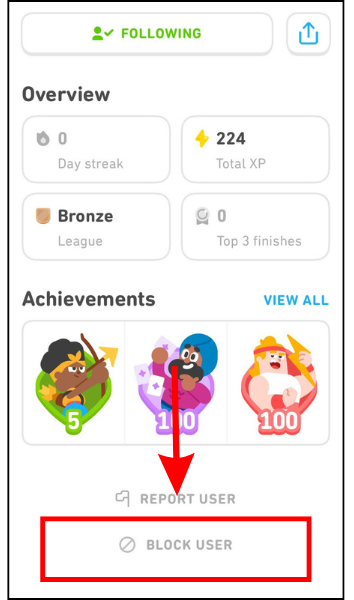
- On their profile page, scroll down until you spot the Block button and Tap it— that’s it. You’re done.
Using Computer:
If you’re using your computer, follow these steps to block someone on Duolingo:
Step 1: Go to Duolingo and Open Your Profile
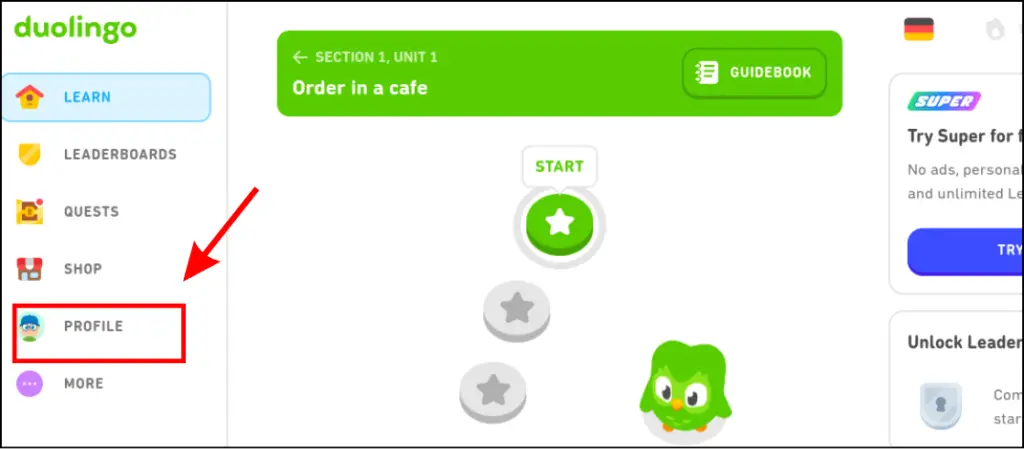
- First, go to Duolingo.com, then click the Profile tab on the left side of the screen.
Step 2: Open the Followers or Following Tab
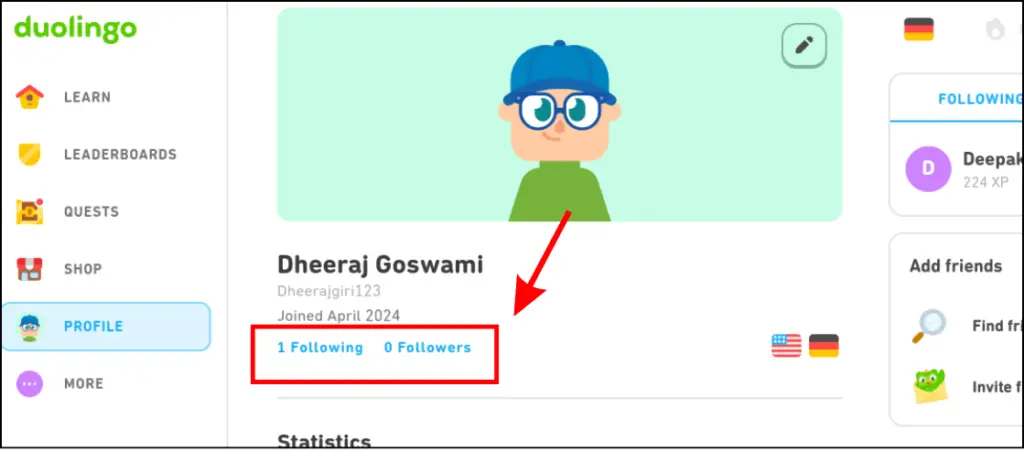
- Next, click on either Followers or Following, depending on where the person is listed.
Step 3: Choose the Person You Want to Block
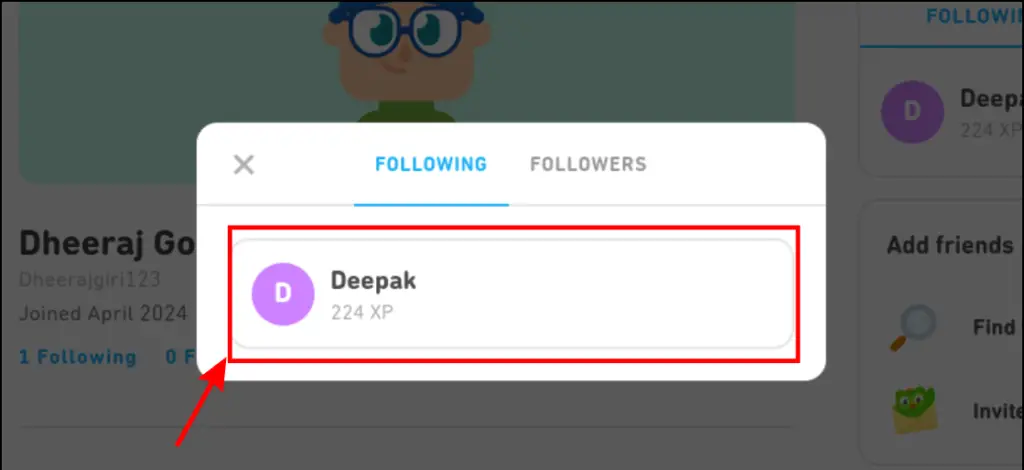
- Now, find the user you want to block and open their profile.
Step 4: Block Them
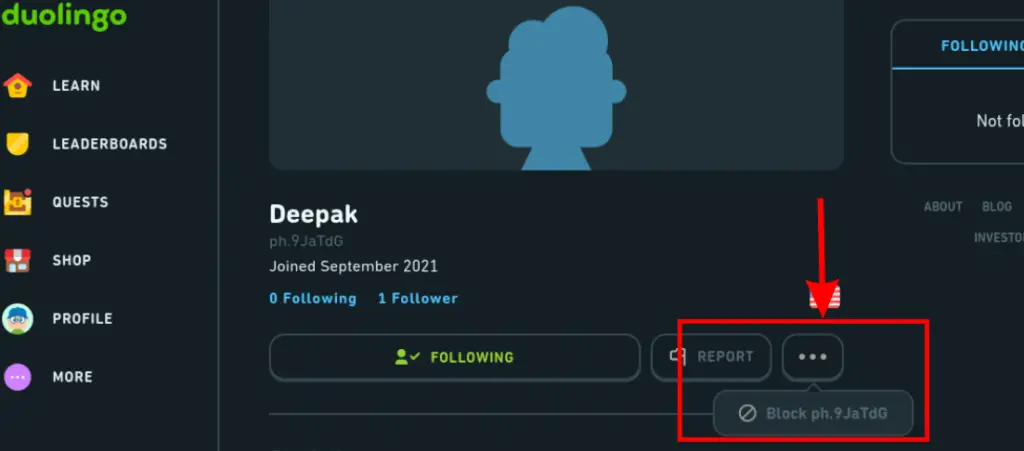
- On their profile, click the three dots (⋯) and then click the Block button.
Video Guide:
FAQs
-
Can someone still see my profile after I block them?
Nope! Once you block someone, they can’t view your profile anymore.
-
Will they know that I blocked them?
No. Duolingo doesn’t notify people when they’ve been blocked.
-
Can I unblock someone later?
Yes, you can unblock anyone at any time. Just go to your blocklist, find the person you want to unblock, and tap the Unblock button.
-
Can I remove friends instead of blocking them?
You sure can! If you’d rather just remove a friend, check out my other post where I explain how to do that.
Wrapping Up
And that’s it! Blocking someone on Duolingo is quick and easy, whether you’re on your phone or computer.
Now I’m going to wrap up this blog. If you have any questions, feel free to drop them in the comments—I’ll reply as soon as I can.
And don’t forget to share this blog post with your Duolingo friends!