


Quick Answer
On Phone (Android or iOS):
Open the app → Profile → Settings → Profile → Delete Account → Confirm → Verify via email.
On Desktop:
Log in at Duolingo.com → Data Vault → Erase Personal Data → Confirm via email.
Delete a Duolingo Classroom:
Log in to Duolingo for Schools → Select Classroom → Settings → Delete Classroom.
Thinking about leaving Duolingo and closing your account for good?
Whether you’ve finished all your language courses or just want to try a different app, deleting your account is actually pretty easy.
In this guide, we’ll show you exactly how to permanently close your Duolingo account on both mobile and desktop.
Plus, I’ll also show you how to delete a Duolingo Classroom account.
Let’s get started!
How to Delete Your Duolingo Account?
If you want to permanently close your Duolingo account, just follow these simple steps on both the app and the website:
On Mobile (Android or iOS):
Step 1: Open Your Profile

- First, open the Duolingo app, then tap the Profile tab at the bottom of the screen.
Step 2: Go to Settings

- Next, tap the gear icon in the top-right corner to open the Settings menu.
Step 3: Open Profile Settings

- From the menu, select Profile option.
Step 4: Delete Your Account

- Now, scroll to the bottom of the Profile page and tap Delete Account.
Step 5: Confirm Deletion

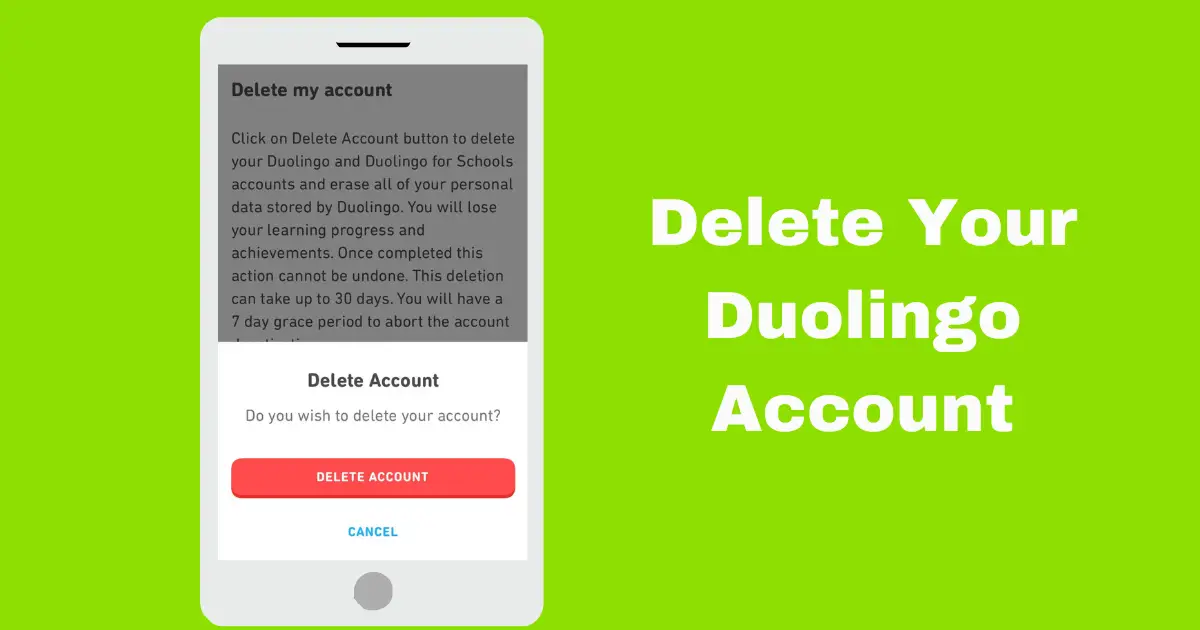
- Now, you’ll see a confirmation screen. After a few seconds, tap ‘Delete Account.’
- Then a pop-up will appear asking if you’re sure—just tap it to Confirm.
Step 6: Confirm Account Closure via Email

- Finally, Duolingo will send an account closure confirmation email to the address linked to your account.
- Just open the email and click the deletion link to permanently close your account.
⚠️ Note: Deleting your account won’t automatically cancel your Super Duolingo subscription. If you’re subscribed, you’ll need to cancel it separately through the Play Store or App Store.
On Desktop:
Step 1: Log in Duolingo account

- First, head over to the Duolingo login page and log in to your account.
Step 2: Visit the Duolingo Data Vault page

- Once you’re logged in, visit the Duolingo Data Vault (drive-thru) to permanently close your account.
Step 3: Click on “Erase Personal Data”

- Now you’ll be taken to the Duolingo Data Vault Erasure page. Scroll down and click the “Erase Personal Data” button to continue.
Step 4: Confirm Account Closure via Email

- Finally, Duolingo will send an account closure confirmation email to the address linked to your account.
- Simply open your inbox, find the email, and click the final deletion link to permanently close your account.
Note: If you want to close your Duolingo for Schools or Duolingo ABC accounts, this method works for them too.
How to Delete Your Duolingo Classroom?
If you’re using Duolingo Classroom and want to delete it, don’t worry—it’s really simple! Just follow these easy steps:

Step 1: Log in to Duolingo for Schools
- Open your browser, go to Duolingo for Schools, and log in to your account.
Step 2: Select Your Classroom
- Next, choose the classroom you want to delete, and then open Classroom Settings.
Step 3: Delete Your Classroom
- Finally, scroll down and click the Delete Classroom option. That’s it—your Duolingo Classroom is gone!
FAQs
Can I recover my Duolingo account after deleting it?
Yes—but only within 7 days. You’ll remember when you asked to delete your account and got a confirmation email from Duolingo.
That email has two links: one to delete your account and one to recover it. Just click the recovery link if you want to get your account back.
How long does it take to delete my account?
Duolingo takes 30 days to permanently delete your account.
Will deleting my account also cancel Super Duolingo?
Nope—deleting your account doesn’t automatically cancel your Super Duolingo subscription.
You’ll need to cancel it from:
1. If you subscribed through the App Store or Play Store, cancel it there.
2. If you subscribed on the Duolingo website with a credit or debit card, go to Settings → Super Duolingo → Cancel subscription, and then confirm.
Can I delete just my Duolingo for Schools account?
No, you can’t delete your Schools account by itself. First, you need to delete all your classrooms.
After that, you’ll also have to delete your main Duolingo account.
Wrapping Up
Deleting your Duolingo account is a big decision, but it’s actually pretty easy if you follow the simple steps above.
Before you permanently close your account, here are 3 important things you should know:
- Don’t forget to cancel your Super Duolingo subscription so you won’t be charged again.
- Remember, you only have 7 days to recover your account if you change your mind.
- Keep in mind that you’ll lose your streaks, XP, achievements, and all your progress.
That’s it for this guide! If you have any questions, leave a comment and I’ll reply.